RT Digital Downloads User Guide
Welcome to the official developer and implementation guide for the RT Digital Downloads.
RT Digital Downloads is an all-in-one premium package designed explicitly for RapidWeaver Elements. It enables web designers and developers to easily deploy a robust, secure, and fully autonomous digital e-commerce storefront for their clients without relying on external SaaS subscription platforms or heavy relactional SQL databases.
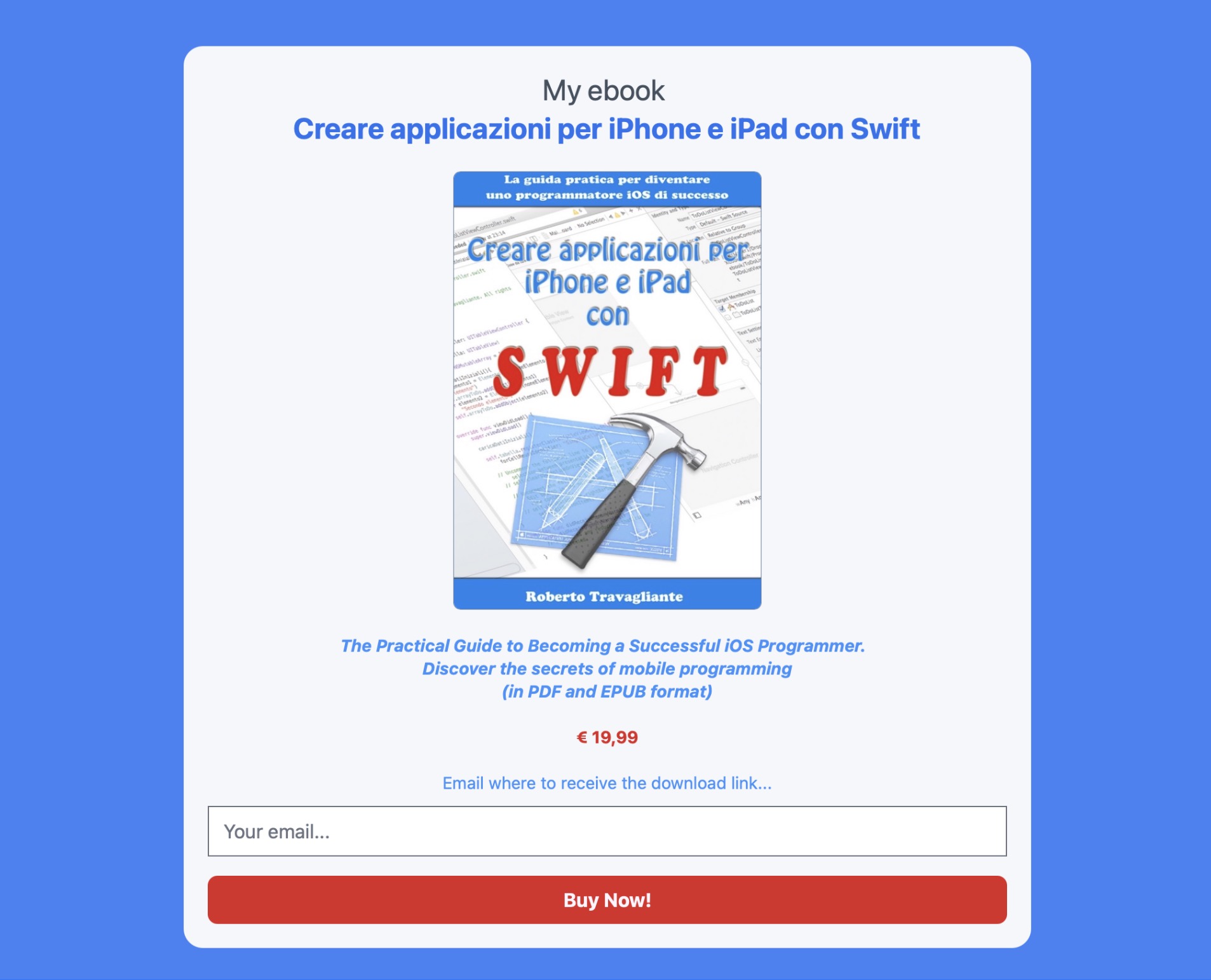
RT Digital Downloads - Product Page
With RT Digital Downloads, you get a complete, secure, and professional e-commerce system for selling digital products (like eBooks, software, music, or PDFs) without the headache of setting up complex databases. In other words, with this pack, you can securely sell PDFs, ZIP files, software, music, and any other digital good using industry-standard gateways like Stripe and PayPal.
The entire suite is composed of three visual layout elements that work in absolute harmony backed by an advanced, file-based transaction module:
- Buy Button Component: A fully responsive, customizable purchasing layout button initiating server-side checkouts via Test Mode, Stripe Checkout API, or PayPal Standard.
- Download Button Component: An intelligent client-side rendering node meant to be dropped onto a success landing page, managing the unique link generation and the real-time transactional database polling via safe cryptographic tokens.
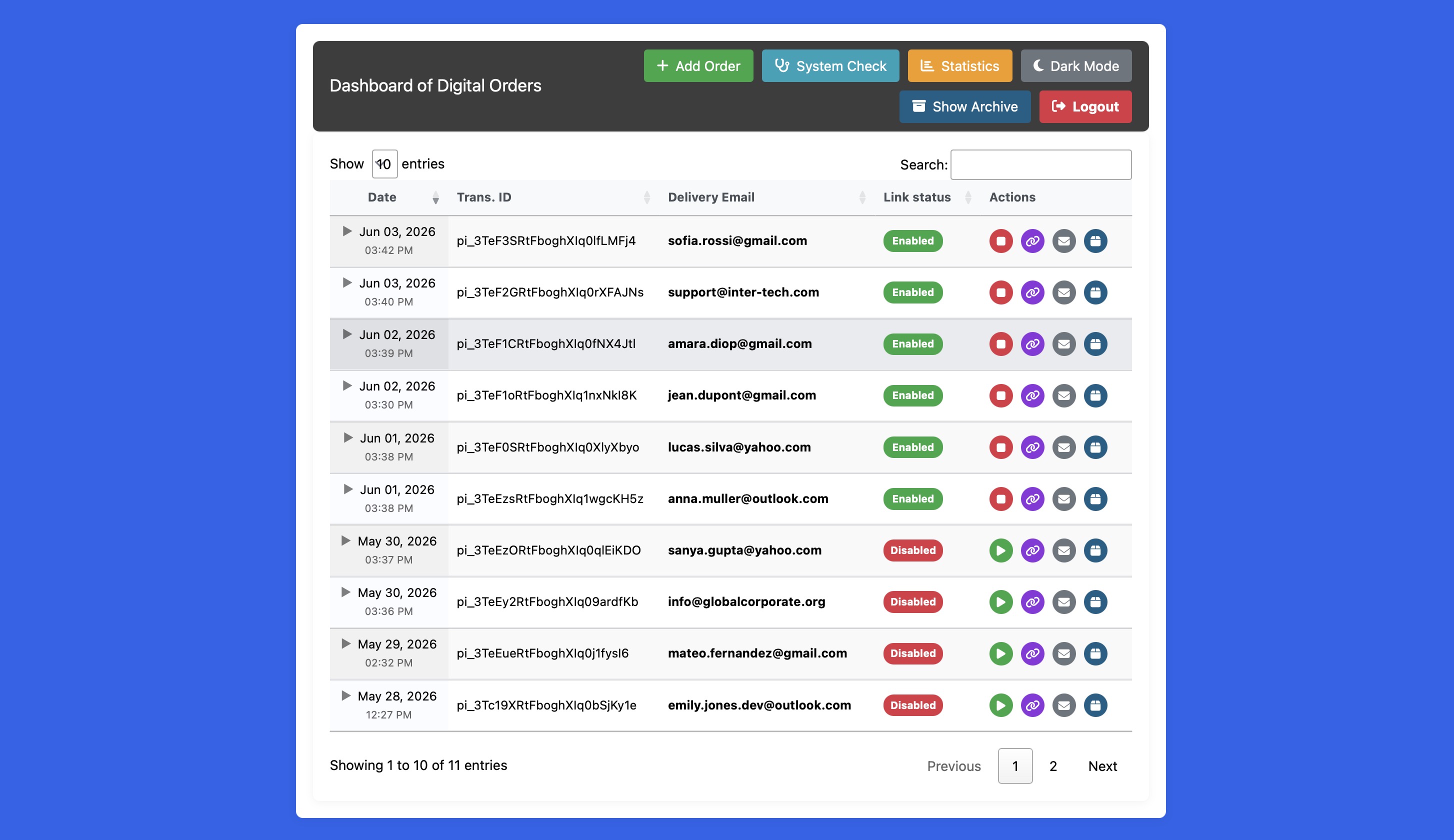
- Dashboard Component: A password-protected administrative back-office panel empowering administrators with full auditing control, financial analytics, manual order creation, and live server file path diagnostics.
By leveraging secure server-side PHP processing, JSON data storage, and dynamic Javascript polling, this suite provides a seamless purchasing experience for the end-user and a powerful management tool for the site administrator.
System Architecture Overview
Understanding how the three components interact with the shared backend infrastructure is vital for clean deployments:
-
Buy Button: Placed on your sales page. It initiates the secure checkout process with Stripe or Paypal. To be more precise, it collects client checkout info, creates a pending order inside the JSON file of orders, and redirects cleanly to Stripe, or PayPal gateways. There is also a Test Gateway, that you can use to make some test, before deploying the website in a production environment.
-
Download Button: Placed on your "Success/Thank You" page. It intelligently waits for the payment to clear in the background and then dynamically delivers the secure, encrypted download link to the customer. Going into detail, It grabs URL transaction tokens and employs an asynchronous client-side HTTP polling loop, to detect payment validation done by Stripe or Paypal. A typical unique link generated is similar to:
https://www.yourwebsite.com/rw/elements/com.travagliante.rtdigitaldownloads/php_backend/download.php?token=33968ed9f826defc93b0a194504c70c1, where the token is generated after the payment has been completed.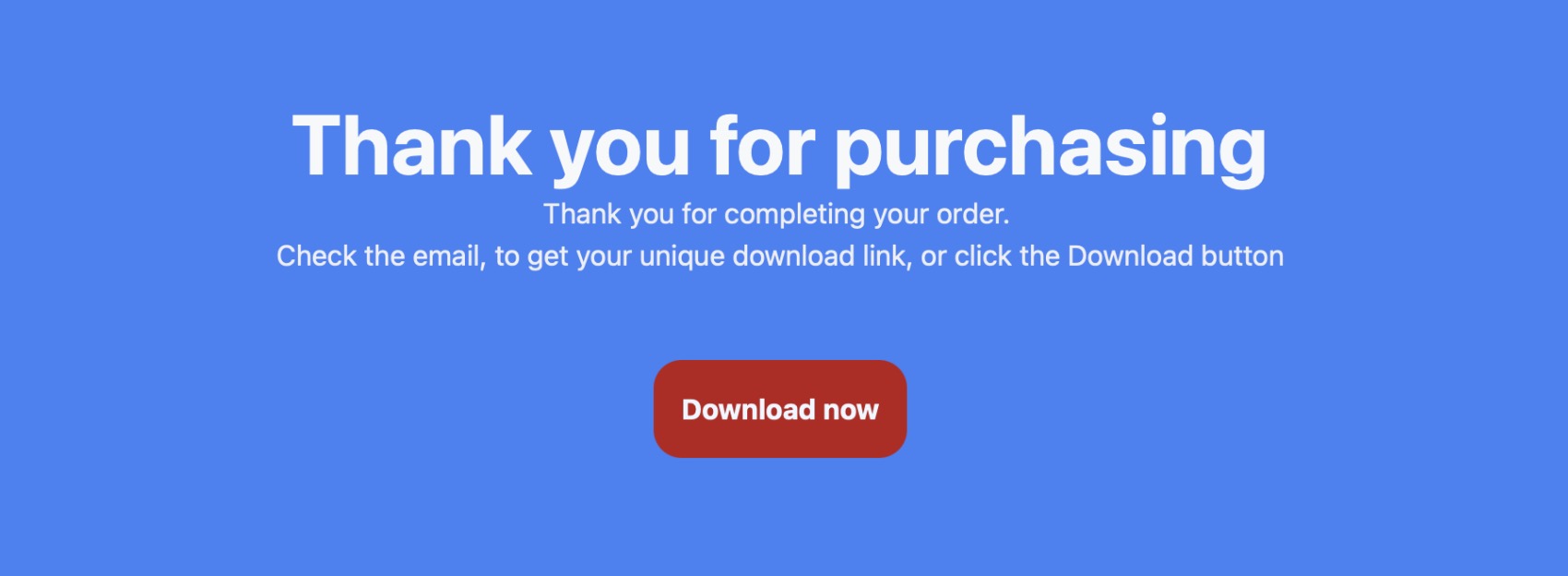
-
Order Dashboard: Provides a private, password-protected area for the site owner to monitor sales, view statistics, manage link expirations, and manually resend emails. It is an administration portal where the owner can enter in admin or read-only modes.
Synergic Flow
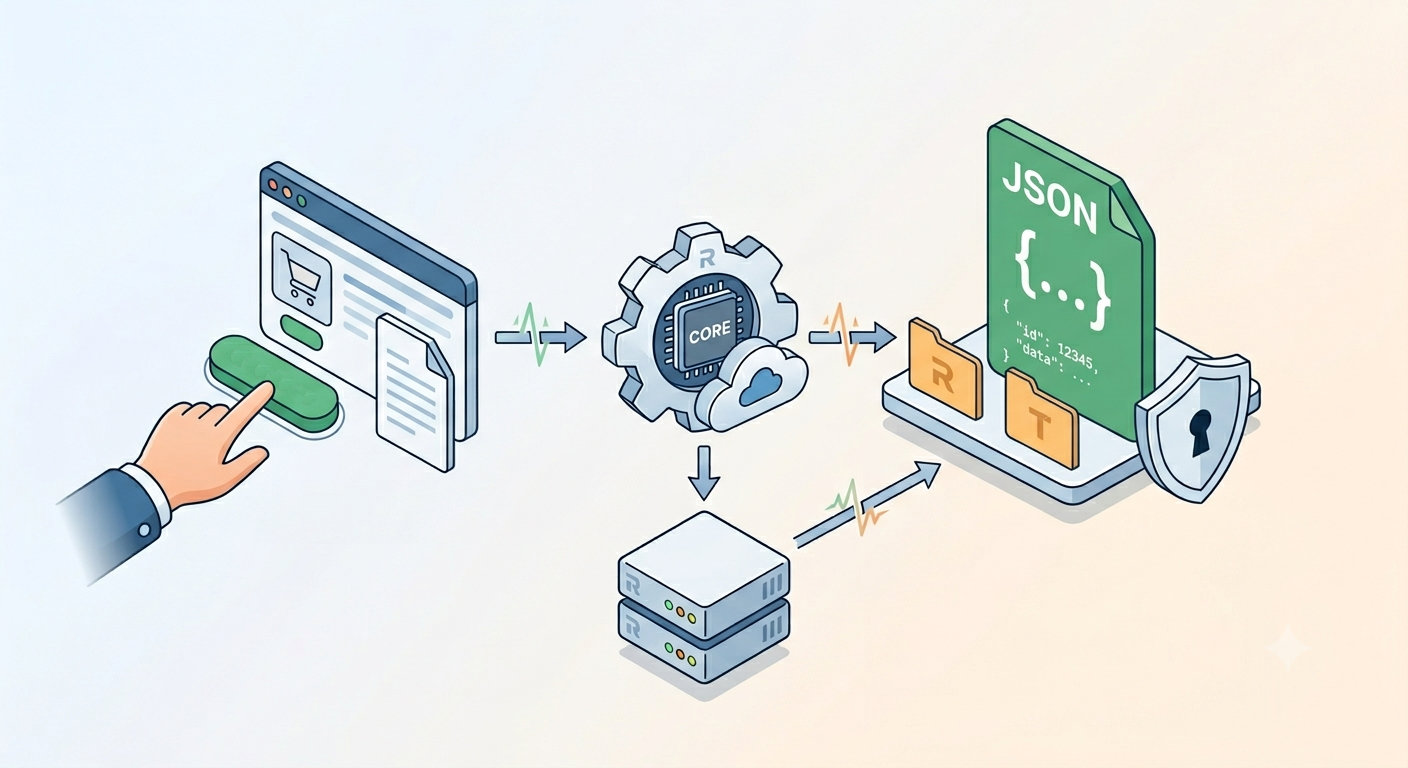
Understanding how the application synchronizes states is vital to deploying a clean storefront. When an item is bought, the system behaves as follows:
- The user clicks the Buy Button. A secure "pending order" is temporarily saved on your server.
- The user pays via Stripe or PayPal.
- In the background, Stripe/PayPal silently tells your server (via Webhook/IPN) that the payment is valid.
- RT Digital Downloads detects the payment confirmation and magically generate a secure, unique, and time-limited download link. An completed order record is saved into the file of orders.
- If correctly configured and enabled, a confirmation mail is sent to the user, with the generated unique link.
- The user is redirected to your Success Page containing the Download Button.
To save all the information concerning the orders, RT Digital Downloads relies on a smart, lightweight "Flat-File JSON" architecture. This means you do not need to configure MySQL databases or run complex server scripts. Everything is managed through secure JSON files and PHP, making it incredibly easy to deploy on almost any standard web host.
The Automated Configuration Lifecycle
The primary instance (the Buy Button component) acts as the master source of truth for your entire storefront. When you adjust settings in the Inspector—such as your administrative passwords, SMTP mail protocols, hidden JSON database names, or absolute server paths—these visual properties are captured and automatically transformed into a centralized config.php schema when you publish your project.
Upon deployment to your server, the system's lifecycle engine takes over. The script undergoes a dynamic evaluation, analyzing your inspector-defined variables and mapping the local server path matrices. It then automatically builds a secondary, locked-down shared_config.php file within the shared backend folder. This auto-generated file becomes the master blueprint for your shop's infrastructure.
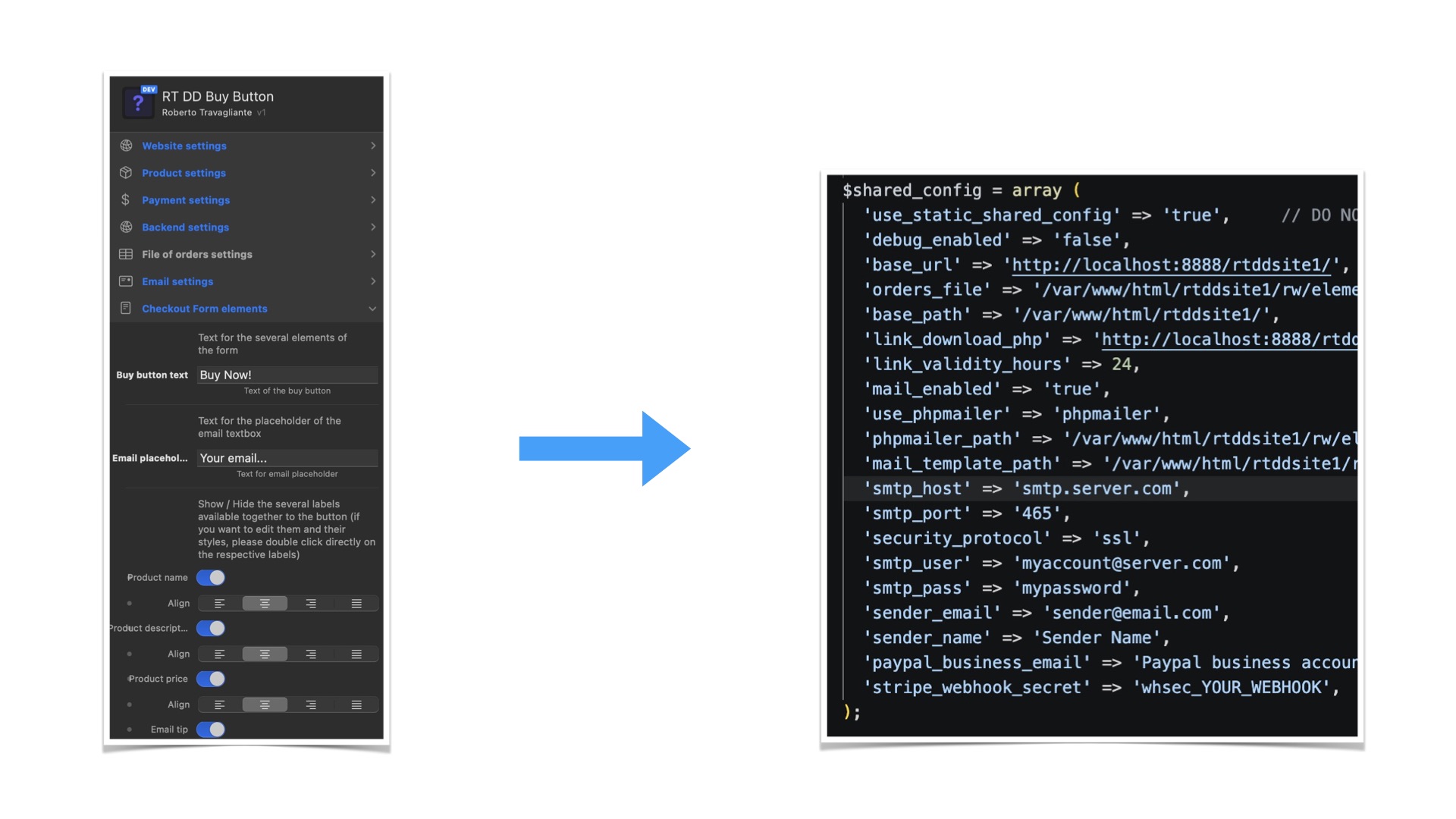
Because of this automated compilation, the entire ecosystem remains perfectly synchronized without any extra manual effort. Both the Download Button node and the standalone Order Dashboard automatically look for and inherit these exact environment settings. This guarantees that your secure file streams, webhook listeners, and back-office reporting tools are always seamlessly connected, relying purely on the parameters you defined in your visual workspace.